This is what my Twitter client looks like today.
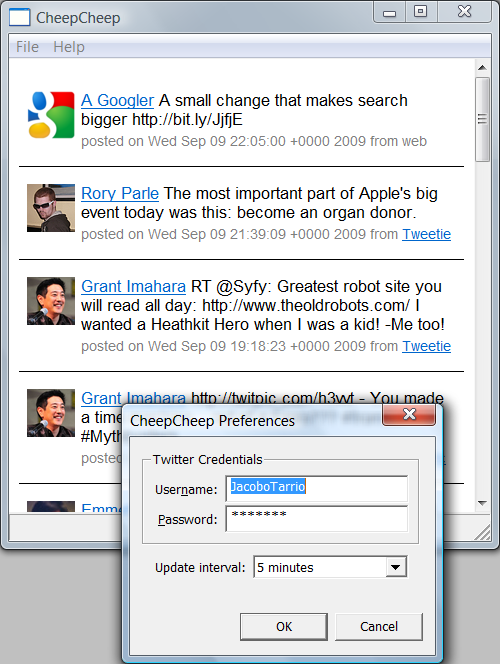
It is displaying my “home timeline”; that is, the list of tweets I see when I log in to Twitter. The timeline is rendered in an embedded Internet Explorer control (and I need to apply some more CSS styles). I have also implemented the preferences dialog, and it works, but I cannot save the preferences yet (I have to enter the credentials every time I restart the application).
Not implemented yet: automatic updates, entering new tweets, deleting your tweets, viewing single tweets/conversations, viewing a single user.
Yes, I’m learning quite a bit writing this program. One of the things I have learnt is that Windows programming is not as horrible as I remember it — but then, it was about 15 years ago :)